


Discover a complete suite
of SEO tools from Makes Monster
Optimize your SEO workflow
Formatted for search
All Makes Monster are backed by a solid infrastructure that meets the needs of search engines, giving you a strong SEO foundation to compete in organic search.
More freedom and flexibility
Maximize how your site performs in search results. Customize your site’s meta tags, URL structure, canonical tags, structured data markup, robots.txt file and more.
Accelerated productivity
Work smarter, faster, and more collaboratively with time-saving features like bulk 301 redirects, instant Google indexing, patterned meta tags for use across multiple pages, and more.
A Robust SEO Toolset
Built-in optimization for every site 🚀
Search Engine Optimization (SEO) is seamlessly integrated into the core of every site built with Makes.Monster, giving you the control and performance necessary to rank highly and drive organic traffic.

1. Optimized Site Infrastructure 🏗️
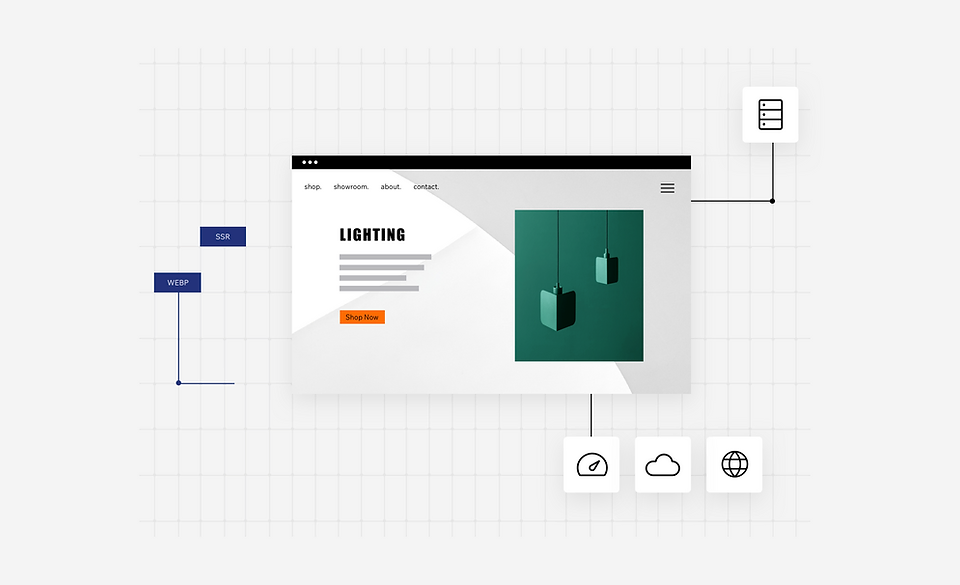
Makes.Monster infrastructure aligns with the needs of search engine crawlers/bots in order to best support site performance, giving you a solid head start when it comes to SEO. This core optimization includes:
-
⚙️
Server-Side Rendering (SSR) and Customizable URLs: Ensures that search engine bots can efficiently crawl and index your content accurately.
-
🗺️
Automatic XML Sitemap Generation: Makes Monster creates and maintains your XML sitemap, keeping all your site info, pages, and the relationships between them up-to-date for search engines.
-
⚡
Accelerated Page Loading: All your images are instantly compressed, resized, and converted to modern formats like WebP for lightning-fast page loading speeds, a critical ranking factor.
2. Get Control of Your SEO Settings 🎛️
Makes.Monster gives you the freedom to fine-tune your SEO variables at a granular level, or apply broad rules efficiently:
-
📝
Meta Tags and URL Slugs: Easily use or modify default meta tags, URL structure, and slugs for full control over how your pages appear in search results.
-
🛠️
Custom SEO Logic: Create your own SEO logic and apply it across multiple pages of the same type (e.g., all product pages or all blog posts) instead of editing each page individually, saving valuable time.
3. Customized Structured Data Markup 🏷️
Aligned with Google’s rich results recommendations, Makes Monster automatically adds structured data markups (Schema.org) to dynamic pages, enhancing their visibility in search results.
-
🌟
Rich Results Eligibility: Dynamic pages like products, events, and blog posts are automatically eligible to appear as rich results (e.g., star ratings, images, and prices shown directly in Google Search).
-
⚙️
Customization: Modify Makes Monster built-in presets using variables, add multiple markups on pages of the same type all at once, and write your own custom markups for advanced needs.
4. Flexible URL Redirect Manager ↪️
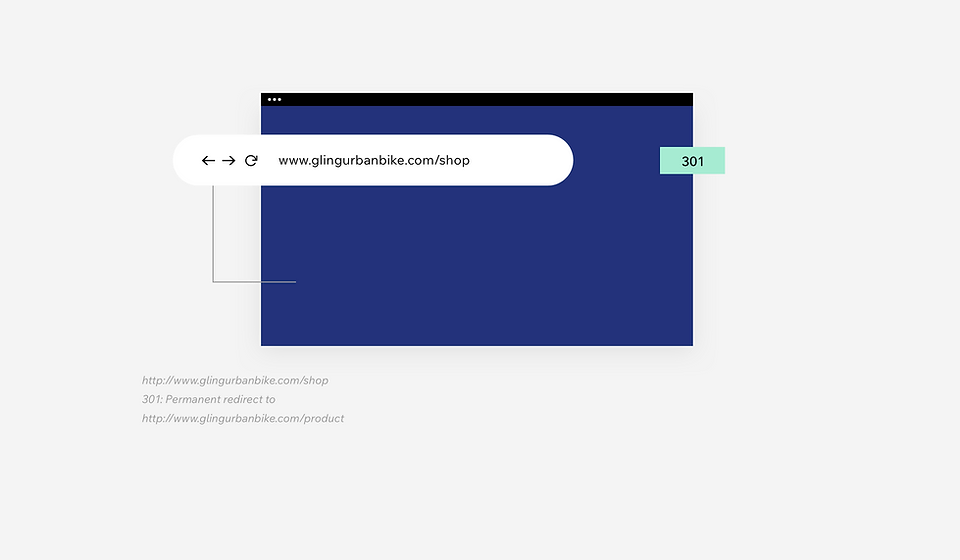
Prevent losing valuable search equity when restructuring your site by efficiently managing 301 redirects, ensuring seamless transitions for users and search engines alike.
-
Permanent
301 Redirects: Maintain link equity by creating permanent 301 redirects for old URLs that have moved.
-
📋
Bulk Management: Manually redirect single URLs or groups of URLs that share the same path. For bulk redirects, save time by importing up to 500 URLs at once, or export a CSV file of all your redirects for auditing.
GOOGLE BUSINESS PROFILE INTEGRATION
Maximize your local search
Makes Monster integration with Google Business Profile enables you to manage your Business Profile directly from your Makes Monster dashboard. Create your profile, or import an existing one, and start connecting with customers from Google Search and Maps. Attract local foot traffic, manage your reviews and gain valuable analytics to refine your online marketing efforts.
FAQ
Yes. From the Makes Monster Editor, open the SEO settings of any page and enter the text you want to appear in the relevant fields (i.e. title tag, meta description). If you want, you can add additional meta tags and edit the URL slug for each page of your site.
Once you’ve edited the field values, your custom settings will override the default content provided by Makes Monster.
Yes. All Makes Monster Sites automatically come with their own editable robots.txt file. This file tells search engines which of your site pages should/should not be indexed.
For more control over crawl requests to your site, you can write your own directives in the Robots.txt Editor. To view your site’s robots.txt file, add “/robots.txt” to your root domain (i.e., www.domain.com/robots.txt).
Canonical tags tell search engines which URL is your primary version and consolidate URLs on your site that contain duplicate content. Additionally, canonical tags can be used to simplify tracking analytics.
By default, Makes Monster adds the page URL to the canonical tag. This is called a self-referencing URL because it makes reference to itself as the canonical. Since most of your site pages won’t have duplicate versions, self-referencing canonical tags are used—an SEO best practice. You can always customize the default canonical tag for any page.
At Makes Monster, we have a performance-first culture. Every new feature, component and element that we create is built with performance in mind. Over the past year, we’ve managed to achieve dramatic improvements for CWV. As a result, we’ve increased the ratio of Makes Monster in the Google CrUX report with good scores for all three CWV by 10x.
View the latest performance data in Google’s Core Web Vital Technology Report. To learn more about how Makes Monster prepared for CWV, check out this webinar we hosted with Google.
The SEO infrastructure of all Makes Monster is based on server-side rendering (SSR) with crawl efficiency in mind. Additionally, every Phluit site automatically includes a sitemap that gets submitted to Google.
Makes Monster maintains your sitemap, keeping up to date with all your site content. To view your sitemap, add sitemap.xml to the end of
your root domain (i.e., www.domain.com/sitemap.xml).
Yes, you can override the default structured data markup provided by Makes Monster. You can also create your own markup and apply it to multiple pages of the same type all at once using variables.
Keep in mind, the custom structured data markup you set will override any default information provided by Makes Monster.
Upload high-quality images to your site and Makes Monster will automatically optimize them to the exact dimensions displayed on the screen—without any loss of quality. This includes converting images to WebP format for faster downloads. Additionally, Phluit supports SEO-friendly formats, like JPG, and compresses SVGs.